


Photo Roulette
4.4862.00 Reviews
App Specs
- Version
- 143.0.0
- Updated On
- License
- Free
- Downloads
- 10,000,000+
- Developer
- Photo Roulette AS
- Categories
- Trivia
- Platform
- Android, iOS
Screenshots

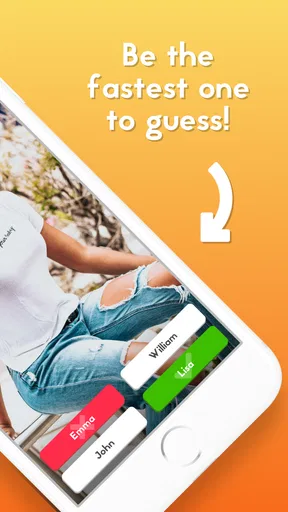
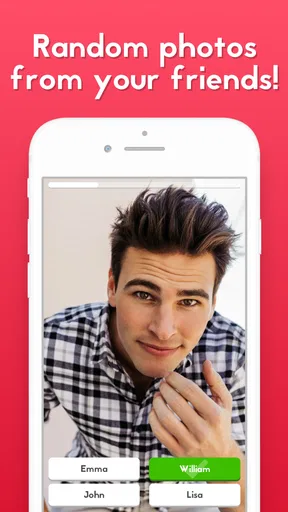

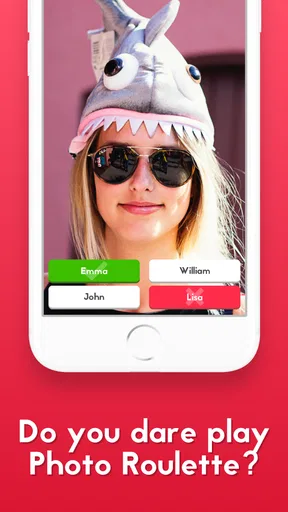
 Analysis by AppCompare
I find Photo Roulette easiest to understand when I think of it as a group guessing game built around the photos already on people’s phones. Rather than answering general-knowledge questions or competing over a shared trivia board, players try to identify who a randomly selected picture belongs to. That personal twist can make a quiet get-together lively, but it also means the game works best when everyone is comfortable sharing a little of their camera roll.
What to expect from the game
This is a free trivia game from Photo Roulette AS, with optional in-app purchases priced from $4.99 to $9.99 per item. It has a Teen content rating, which is worth keeping in mind if younger players may be joining. Its appeal is less about mastering trivia and more about recognizing friends’ habits, remembering shared moments, and laughing at an unexpected picture. If your group enjoys inside jokes, that format gives you plenty to work with.
The game has an average rating of 4.5 from around 33,000 ratings, and it has been installed over 5 million times. Those figures suggest that the idea has found a broad audience, though they don’t guarantee that it will suit every group. A photo-based guessing game depends heavily on who is playing and what kinds of images are in their libraries; with people who barely know one another, the rounds may feel less personal.
Make the first round feel comfortable
Before starting, I’d tell everyone what the game involves and give them a moment to decide whether they’re happy to participate. That small check-in is more useful than rushing into the first round: a funny group game should not leave anyone wondering what might appear on screen. The app’s approach includes choosing which albums to use, so I’d treat that choice as part of getting the group ready, not as a setting to skip past.
For a first session, keep the group small and choose a short game. That makes it easier for new players to follow whose turn it is and gives everyone a chance to see how the guessing works before committing to a longer session. I’d also avoid using the game as a way to put a shy guest on the spot. People can enjoy the jokes without being pressured to explain a private-looking image or prove that they recognize it.
What makes the guessing work
The best rounds are not always the most embarrassing ones. A familiar pet, a recurring view from someone’s commute, or a picture that recalls a shared outing can be enough to prompt a good guess and a story. I like that the game can turn ordinary images into conversation starters: players may remember the moment behind a photo even when the picture itself looks unremarkable.
There is also a trade-off built into the random selection. Surprise is the point, but not every photo will be equally easy to identify or equally entertaining to the whole group. If a round falls flat, I wouldn’t read too much into it; the next one may spark a better conversation. The game is at its strongest when the group treats a wrong guess as part of the fun rather than as a test anyone needs to pass.
Worth Reading Before You Choose

Flipboard Shows What News Apps Must Do Beyond the Feed

Switching to Android Auto Means Rethinking Your Driving Routine

Google Calendar Makes a Crowded Week Easier to Manage

Ludo King Makes the Most of the Minutes Between Plans

Baby Panda World Brings Quick Play to Modern Phones, but Its Game Library Feels Busy

ESPN’s Live Game View Makes Following Close Games Easier
Use the round settings with a purpose
The option to set the number of photos and the time limit gives a host a practical way to match the game to the occasion. For a casual break, I’d start with fewer rounds and a generous pace so newcomers can get the hang of it. With close friends who already know one another’s photo habits, a quicker timer can add energy. The useful trick is to adjust one thing at a time: if the game feels rushed, ease the time pressure before changing the rest of the setup.
For a mixed group, I’d favor a relaxed pace over a competitive one. People need a moment to look at the image, make a connection, and decide on a guess; a timer that is too tight can turn a light social activity into an uncomfortable scramble. Conversely, a group that already knows the format may prefer brisker rounds. Let the players’ mood guide the settings rather than assuming that the fastest game is automatically the liveliest.
A realistic way to bring it into a gathering
Imagine friends arriving at someone’s home while dinner is still being prepared. Instead of asking everyone to learn a complicated party game, one person can suggest a few rounds while the group is together. The host can explain that the pictures come from players’ selected albums, check that everyone is willing, and start with a modest number of rounds. If a recognizable image appears, the guess can lead naturally into a story; if no one knows it, the group can move on without turning the moment into an interrogation.
That kind of setting suits the game better than a formal competition. It gives people room to chat between guesses, and a late arrival can understand the premise quickly. I’d be more cautious in a workplace gathering or with acquaintances who have not built trust yet. A personal photo can be funny to one person and awkward to another, so the social setting matters as much as the app itself.
How it differs from familiar trivia games
Compared with standard quiz apps, this game does not rely on a bank of facts or on players knowing the same subjects. A conventional trivia game is usually the safer choice when people want a clear contest that does not involve personal pictures. Photo Roulette instead draws its material from the players’ own galleries, which makes it feel more intimate and unpredictable. That is its distinctive strength, but also the reason I would not choose it for a group that wants privacy or a neutral playing field.
It also differs from simply passing a phone around to browse photos. The guessing structure gives the group a shared activity and a reason to pay attention to each reveal. Still, it is not a replacement for a photo album or a deliberate slideshow: if the goal is to curate memories and tell a story in order, choosing images yourself is better. Here, the fun comes from not knowing exactly what will come up.
Privacy deserves a moment of attention
The album-selection option is important because a phone’s photo library can contain much more than the images someone would happily show at a party. I’d look through the available choices before starting and select only what feels appropriate for the particular group. I would not assume that every picture is suitable just because it is saved on a device. A few seconds spent making that decision can prevent a round from changing the mood for the wrong reason.
The game’s appeal depends on sharing, so anyone who prefers to keep their gallery entirely private may be better off sitting out or choosing another party game. That is a reasonable boundary, not a failure to join in. I’d make it easy for a friend to decline without having to justify the decision, especially when the group includes people who have not played together before.
Who will enjoy it—and who may not
I’d recommend it to friends, families, or small social groups who already feel at ease with one another and like games that create conversation as well as guesses. It can be a good fit for a relaxed evening when nobody wants to learn a long set of rules. People who enjoy personal stories and spontaneous humor are more likely to get something out of it than players seeking a deep strategy game or a serious test of knowledge.
I’d skip it if the group is uncomfortable sharing photos, if players do not know one another well enough to read the room, or if someone wants a predictable quiz with no surprises. It may also be a poor match for a gathering where people are distracted and cannot give each round their attention. In those situations, a verbal trivia game or a simple conversation game is easier to manage and does not depend on personal galleries.
First setup and first successful round
When I first open the game, I’d take the setup in stages rather than trying to get everyone playing immediately. The app is available on Android and iOS, and it supports account creation or signing in through Facebook or Google. Once the group is ready, I’d make sure players know how they will join the same game, explain the album choice in plain language, and start with a short session. The aim is not to optimize every setting; it is to get one comfortable round underway.
A first successful action is simple: everyone agrees to play, the host chooses an appropriate set of photos, and the group makes its first guess together. If the first reveal is hard to place, use it as a chance to learn how the group thinks rather than treating it as a problem with the app. When someone recognizes a picture, ask for the story behind it only if they seem happy to share. That keeps the game friendly and gives the round a natural ending.
Common confusion and small trade-offs
One point that can be easy to misunderstand is the difference between a random reveal and a carefully chosen photo challenge. The element of chance means players should not expect each image to be a perfect clue. Another is the role of the timer: it can add momentum, but it is not necessarily helpful for people who want time to discuss what they are seeing. For a first session, I’d favor understanding and comfort over speed.
It is also worth remembering that the game’s humor is group-dependent. An obscure picture may mean a lot to the person who took it and very little to everyone else. Rather than asking the player to defend why it appeared, I’d let them decide whether to explain it and move on if they do not. That little bit of social judgment is not built into a setting, but it can make the difference between a good shared joke and an awkward pause.
Availability and ongoing appeal
The game first appeared on May 12, 2017, and its current version is 132.0.0, with Android 8.0 as the minimum operating system requirement. I see its continued appeal in the basic idea: friends’ photos change over time, so a repeat session can feel different from the last one. At the same time, the experience still depends on having a group willing to play and an appropriate selection of images. It is not the sort of app I would expect to be entertaining entirely on my own.
The free price makes it easy to try with a group, while optional purchases are available within the app. I would begin with the free experience and decide whether the game has become a regular part of your gatherings before spending anything. The in-app purchase range runs from $4.99 to $9.99 per item, so it is sensible to check the purchase details on your device before confirming anything. The core decision is less about buying extras and more about whether your friends enjoy the format.
Have you ever wanted to add a little spice to your photo-sharing routines? Enter Photo Roulette, the app that’s turning heads (and swapping smiles) with its unique twist on photo sharing. I decided to take it for a spin, and let me tell you, it’s as fun as it sounds.
Getting Started with the Fun
First things first, downloading Photo Roulette is a breeze. Available for both Android and iOS, it’s just a quick tap away in your app store. Once installed, you’re prompted to create an account or log in via Facebook or Google. You know, the usual drill—nothing too complicated.
The app is all about randomness, so if you’re the kind who likes surprises, you’re in for a treat. The basic idea is simple: gather a group of friends (or just one brave buddy), and the app randomly picks a photo from one player’s gallery to display for everyone in the game. The goal? Guess whose photo it is before the timer runs out!
The Interface and Features
The interface is pretty straightforward. You’ve got your main menu where you can set up a new game, invite friends, or join an existing game. The design is minimalistic, ensuring nothing distracts from the main event—those hilarious and sometimes cringeworthy photos.
One feature I really enjoyed is the ability to set custom rounds. You can choose how many photos you want to be revealed and set the time limit for each round. It adds a layer of strategy, allowing you to tailor the game to your group’s vibe.
Laughs and Surprises Galore
Playing Photo Roulette is like opening a box of chocolates—you never know what you’re gonna get. Whether it’s an embarrassing selfie or a forgotten vacation pic, the element of surprise keeps everyone on their toes. What I found particularly charming is the way it encourages genuine laughter and connection. There’s just something hilarious about trying to guess who took that awkward photo of their pet.
Plus, the app doesn’t take itself too seriously. There are fun animations, and the timer adds a bit of pressure that makes the whole experience even more exhilarating.
Privacy and Safety
Now, I know what you’re thinking: “Is this app safe?” Well, the developers have put in measures to ensure your privacy. You can choose which albums to include in the game, so you won’t accidentally share something you’d rather keep private. Also, photos are only displayed within the game and not saved or shared elsewhere, which gave me peace of mind.
Final Thoughts
All in all, Photo Roulette is a delightful way to mix up your social gatherings. It’s perfect for parties, family nights, or even just killing time with friends online. The app’s charm lies in its simplicity and the genuine fun it brings to the table.
If you’re looking for a fresh way to connect with your pals and share some laughs, give Photo Roulette a shot. You might just find yourself rolling on the floor with laughter—or at least scratching your head trying to figure out who took that photo of a random street sign at 2 AM.
Pros
- Engaging multiplayer gameplay.
- Simple and intuitive interface.
- Great for parties and gatherings.
- Regular updates with new features.
- Encourages creativity and humor.
Cons
- Requires internet connection.
- Limited customization options.
- Might expose private photos.
- Ads can be intrusive.
- Not suitable for all ages.
FAQs for Photo Roulette
What is Photo Roulette and how does it work?
Photo Roulette is a social game app that brings friends together by randomly selecting photos from each participant’s gallery. Players take turns guessing whose photo is displayed. It's a fun and interactive way to engage with your friends, sharing memories and sparking conversations. The app supports both Android and iOS devices.
Is Photo Roulette safe to use in terms of privacy?
Photo Roulette prioritizes user privacy by only accessing the photos you agree to share. The app doesn’t store photos permanently and all images are deleted after each session. It's important to ensure your gallery doesn’t contain any sensitive images if you plan to use the app during social gatherings.
Can I play Photo Roulette without an internet connection?
Photo Roulette requires an internet connection to function properly. The game relies on real-time interactions and updates, which necessitate a stable internet connection. This ensures that all participants can view and guess the photos simultaneously, providing a seamless gaming experience.
How many players can join a game of Photo Roulette?
Photo Roulette can accommodate up to 10 players in a single game session. This allows for a lively and engaging experience as more friends can join in the fun. The app is designed to be flexible, making it great for both small groups and larger gatherings.
Are there any in-app purchases or ads in Photo Roulette?
Photo Roulette offers a free version with ads, which might interrupt gameplay occasionally. For an ad-free experience, users can opt for in-app purchases. These purchases not only remove ads but may also unlock additional features to enhance gameplay, ensuring a smoother and more enjoyable experience.


